Agency Content Delivery: The Handoff Checklist That Prevents Rework
Agency Content Delivery: The Handoff Checklist That Prevents Rework

Agency content delivery means the secure, metadata-preserving handoff of final media assets to clients, complete with version control, recorded approvals, branded links, and confirmation that the delivery landed. The single best move you can make right now: stop sending files and start sending packages, where every asset carries its brief, usage rights, and version history with it. Agencies that do this see two things immediately: fewer “wait, which version is this?” emails, and a delivery record they can point to if a client disputes what was sent.
- Version control eliminates the “final_v3_FINAL_actually_final.mp4” problem
- Metadata travels with the file instead of living in a separate email thread
- Manual transfer between systems eats 25 to 30 percent of total effort in typical content workflows, most of it recoverable
Key Takeaways
Reliable agency content delivery depends on metadata staying attached to the asset, recorded approvals, branded secure links, and a confirmation step that proves the handoff happened.
| Point | Details |
|---|---|
| Preserve metadata at the source | Attach the brief, specs, and usage rights to the file itself, not a separate document. |
| Record every approval | Capture a timestamped client sign-off instead of relying on verbal confirmation. |
| Set expiry and access rules | Use signed links with a 30-day expiry and role-based access for external vendors. |
| Track three metrics weekly | Monitor handoff time, rework frequency, and confirmation rate to spot workflow leaks. |
| Consolidate the workflow | Posthive combines versioning, metadata, approvals, and branded delivery in one workspace. |
Table of Contents
- What Are the Core Components of a Content Delivery System?
- How Do You Evaluate a Delivery Tool or Workflow?
- What Does a Repeatable Delivery Workflow Look Like?
- How Do You Keep Delivered Assets Secure and Compliant?
- Why Delivery Quality Shapes Client Retention
- Getting Started With Posthive for Agency Deliveries
- Frequently Asked Questions
- Sources
What Are the Core Components of a Content Delivery System?
Every reliable delivery setup rests on six functional pieces. Miss one, and you have a workflow with a hidden leak.

Version control and canonical source files. Someone on your team needs to know, at a glance, which file is the one the client actually approved. Without a canonical source, teams re-export from the wrong master and ship a rejected cut.
Metadata that travels with the asset. The brief, technical specs, and usage rights should live inside the delivery, not in a Slack message from three weeks ago. Assets frequently lose critical context during handoffs, and that loss is what causes brand drift and repeated rework.
Approval flows with a paper trail. Someone signs off, somewhere specific, with a timestamp. Verbal “looks good” approvals over a call are the single most common source of client disputes down the line.
Secure transfer built for large files. Post-production files are big. Your transfer method needs to handle multi-gigabyte masters without choking or forcing a client to install anything.
A client-facing delivery experience. Branded links, sensible folder structure, and clear naming aren’t cosmetic. Organized delivery with branded links and consistent naming is what separates an agency that feels buttoned-up from one that feels chaotic.
Confirmation and archival policy. You need proof the client received and opened the delivery, plus a rule for how long you keep the archive.
Pro Tip: Attach the usage rights document directly inside the delivery package, not as a separate attachment. Clients lose separate attachments; they rarely lose the thing they’re currently opening.
How Do You Evaluate a Delivery Tool or Workflow?
Run through this order before you commit to a platform or before you audit your current one.
- Confirm metadata preservation. Does the tool keep brief, specs, and rights attached through every version, or does that context vanish on re-upload?
- Check per-file versioning. You want version history at the individual file level, not just a folder that gets overwritten.
- Verify approval capture. Look for a recorded, timestamped sign-off, not a checkbox that anyone could have clicked.
- Test branded link generation. Can you deliver under your own domain instead of a generic file-sharing URL?
- Confirm download analytics. You should see who opened the delivery and when, not just whether the link was clicked once.
- Stress-test scale. Check max file size, whether parallel uploads work, and whether large files route through a CDN instead of a single slow server.
- Audit security basics. Encryption in transit and at rest, access control per link, retention limits, and a log you can pull later.
- Walk the client experience. No forced account creation, no confusing folder trees, a README that explains what’s inside.
Once the tool passes, track three operational metrics: handoff time (brief to delivered), rework frequency (deliveries requiring a resend), and confirmation rate (deliveries with a verified open). Teams that automate the connective layer between systems can compress what used to take multiple weeks into days, simply by removing manual re-uploads from the chain.
What Does a Repeatable Delivery Workflow Look Like?
A workflow only becomes repeatable when each stage has an owner and a time box. Here’s a template you can adapt without rebuilding it from scratch.
1. Pre-delivery (Operator, 15 to 30 minutes). Lock the master file. Attach the brief, specs, and usage rights directly to the asset. Apply a consistent naming convention (project, version, date) so nobody has to guess what’s current.
2. Delivery (Operator, 5 to 10 minutes). Generate a branded, secure link. Set an expiry window and access permissions. Include a short README covering what’s inside, what format it’s in, and what rights apply.
3. Sign-off (Strategist, same day to 48 hours). Route the delivery to the client contact who actually has approval authority. Capture a timestamped approval, and run a quick QA pass against the original brief before calling it done.
4. Post-delivery (Creator, 10 minutes). Archive the master files. Snapshot the audit log for that delivery. Send a short follow-up to confirm the client opened and reviewed the package.
- Assign one person as the single point of contact for approvals, even if others contribute feedback
- Never let “final” exist in two places with two different names
- Build your naming convention once, then enforce it, rather than reinventing it per project
Pro Tip: Standardize your delivery template across every client, not just your biggest account. Standardized templates that embed context with the asset are what eliminate the “formatting guessing game” that drags out approval cycles.
Most agencies find the whole cycle, from locked master to confirmed sign-off, takes under two business days once the template is in place. Before the template, the same handoff often stretched across a week of back-and-forth emails.
How Do You Keep Delivered Assets Secure and Compliant?
Security here isn’t abstract. It’s a small set of controls that either exist or don’t, and each one closes a specific failure mode.
- Encrypt in transit and at rest, and use signed URLs with a set expiry window instead of permanent public links.
- Assign role-based access, including temporary credentials for external vendors or freelancers who need one file, not your whole archive.
- Keep audit logs and delivery receipts. These serve as your proof of handoff if a client claims they never received the final cut.
- Embed usage rights and licensing terms inside the delivery package itself, not in a contract sitting in someone’s inbox.
- Set default policies and stick to them: a 30 day link expiry is common, with an archive copy retained for 12 months after project close.
A delivery link with no expiry date is a security hole with a nice user interface. The link doesn’t know the project ended; only your policy does.
Agencies that skip audit logs tend to discover the gap at the worst possible moment: mid-dispute, with no record of what was sent or when.
Why Delivery Quality Shapes Client Retention
Clients rarely remember your internal process. They remember the moment they opened the final delivery, and whether it felt organized or like a scramble. A branded link with a clean folder and a working README reads as competence before anyone even watches the cut.
Small changes carry outsized weight here. Adding a confirmation step, or a consistent naming convention, costs almost nothing to implement but changes how a client describes you to the next referral. The delivery moment itself is a touchpoint that shapes whether a client comes back or quietly starts asking other vendors for quotes.
I’ve watched agencies lose repeat business not because the creative work was weak, but because the handoff felt disorganized. That’s a fixable, mechanical problem, not a creative one.
Getting Started With Posthive for Agency Deliveries
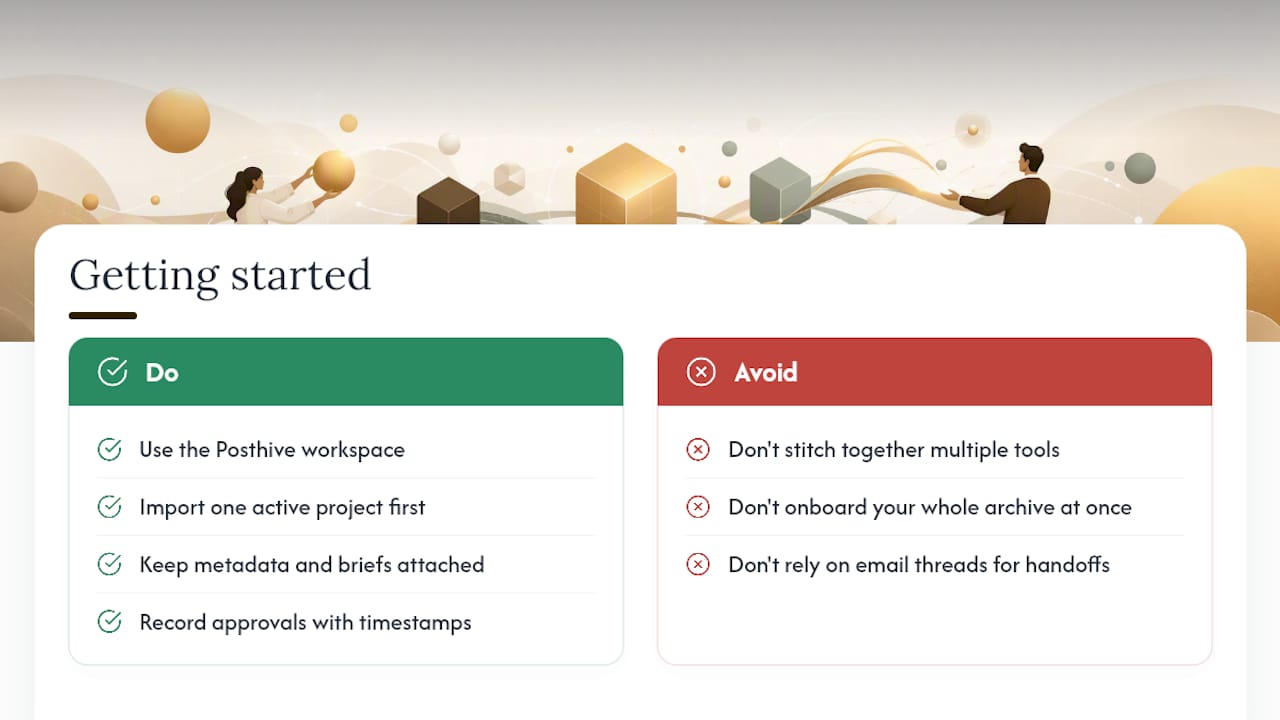
Posthive builds the checklist above directly into the workspace instead of leaving it to a patchwork of file-sharing tools and email threads. Version control runs per file, not per folder. Metadata, briefs, and usage rights stay attached to the asset through every revision. Approvals get recorded with a timestamp, delivery happens through branded links, and every handoff leaves an audit trail you can pull later.

Posthive is built for creative teams, production companies, and freelancers running client work, not one-off personal projects. Plans scale from a free tier through Pro and Enterprise, depending on storage and feature needs. If you’re currently stitching together three tools to do what one workspace should handle, start with the Posthive workspace and import your next active project.
Pro Tip: Onboard one live project first, not your whole archive. Migrating a single in-progress delivery shows your team the workflow inside a real deadline, which sticks better than a training session ever does.
Frequently Asked Questions
What is the biggest cause of delivery rework? Lost context. When metadata, specs, or usage rights don’t travel with the asset, teams guess at formatting and clients reject deliveries that technically met the brief but missed the intent.
How long should a delivery link stay active? A 30 day expiry window is a reasonable default for most agency work, with an archived copy of the final assets kept for 12 months after the project closes.
Do clients need an account to receive a delivery? No. Forcing account creation is one of the fastest ways to add friction to a delivery. A branded, secure link with no login requirement keeps the experience smooth.
What should be tracked to measure delivery quality over time? Handoff time from brief to delivery, rework frequency, and confirmation rate are the three metrics worth watching weekly. A rising rework rate usually points to a metadata or naming problem upstream.
Sources
- Your content supply chain Is broken | Valtech
- The ‘Channel-to-Context’ Audit: Why Asset Handoffs Stall in Multi-Brand Teams | MydropAI
- Client File Delivery for Creative Agencies: Complete Guide | TrunkTransfer Blog